




Contract automation has become a critical capability for organizations that manage growing volumes of agreements across sales, HR, procurement, and legal teams. If you're still building the foundation before automating, start with our guide on contract management for teams to get workflows and ownership structured first. As contracts move through drafting, review, approval, signing, and renewal, teams need structured workflows that keep documents consistent, visible, and easy to manage.
Modern contract automation platforms bring these steps together by combining templates, digital workflows, eSignatures, and centralized storage. Instead of treating contracts as static documents, businesses can use contract intelligence to manage them as connected processes that support speed, accuracy, and compliance throughout the contract lifecycle.
This guide breaks down:
- What contract automation is and how it works across the contract lifecycle.
- The key benefits of automating contract creation, approvals, signing, and tracking.
- The core features and technologies that power modern contract automation software.
- Common mistakes organizations make when implementing contract automation—and how to avoid them.
- How contract automation platforms help teams maintain visibility and control.
By the end, you’ll have a clear understanding of how contract automation fits into your organization’s workflow and what to look for when evaluating tools for long-term scalability.
What is contract automation?
Contract automation uses software to streamline the entire contract lifecycle — drafting, negotiating, signing, and managing — without manual intervention. By combining templates, AI, and e-signatures, it accelerates deal closures, reduces errors, and ensures compliance. Core features include automated workflows, version control, and centralized repository storage, connecting contracts to business systems like CRM and HR tools.
In most organizations, contracts undergo several steps, including drafting, internal review, negotiation, signing, and storage. Email exchanges, version control issues, or missing approvals can delay each stage. A structured digital contracting system keeps each of these stages organized and trackable from request to renewal.
Contract automation brings all of these actions into one connected workflow, where predefined rules determine who needs to review each document and when.
Contract automation typically involves:
- Using pre-approved templates and clause libraries to generate new contracts quickly and maintain legal consistency.
- Automating review and approval routing so the right stakeholders can comment or sign off within a defined sequence.
- Sending documents for secure eSignatures to speed up execution and reduce administrative delays.
- Storing completed contracts in a centralized repository for easy search, tracking, and audit readiness.
- Setting automated reminders and alerts for renewals, expirations, or compliance milestones.
The result is a standardized and transparent process that supports contract risk management improves turnaround time, and allows teams to focus on higher-value work instead of repetitive paperwork.
From our customers
“Before we had Signeasy, it was the Wild West getting paperwork back. Now, we track every document in one place.” - Property Masters team, Real Estate Services
Watch the full story on YouTube
What contract automation changes for growing organizations
As organizations scale, contract management becomes harder to coordinate across teams, tools, and timelines. Contract automation changes this by turning contracts from isolated documents into structured, trackable workflows that support speed, consistency, and visibility across the business.
Key components and benefits at a glance
- Faster turnaround: Automates contract creation, approval routing, and signing — reducing work that previously took days to minutes, without manual coordination
- Increased accuracy: Uses pre-approved templates and standardized clause libraries to eliminate manual drafting errors and maintain legal consistency across every agreement
- Improved compliance: Tracks obligations, renewal deadlines, and regulatory changes in real time, ensuring no critical milestone or requirement is missed
- Centralized repository: Stores all contracts in a single, searchable location with advanced filtering, audit trails, and version control for full lifecycle visibility
1. Predictable workflows instead of fragmented handoffs
In many teams, contracts still move between Word documents, email threads, shared drives, and spreadsheets. Each handoff introduces delays, version confusion, and manual follow-ups.
Contract automation replaces these fragmented steps with contract workflows. Templates, automated routing, and reminders keep agreements moving forward without constant coordination, making execution more streamlined and predictable as volume increases.
Must Read: What are contract workflows and how to streamline them
2. Standardized agreements with built-in controls
When contracts are created and reviewed differently across departments, inconsistencies become unavoidable. Language varies, approvals are missed, and enforcing policy becomes difficult at scale.
Automation brings structure through contract templates, clause libraries, and role-based approvals. Every contract follows the same rules, helping teams maintain consistency, document decisions, and reduce exposure as contract volume grows.
3. Centralized visibility across the contract lifecycle
Email-based contract management offers limited insight into where agreements stand. Key details like ownership, renewal dates, and status often live in inboxes rather than systems. Contract renewal management pulls those dates into one place and triggers reminders automatically.
A contract repository provides a single source of truth. Teams can track active, pending, and completed contracts in real time, making it easier to spot bottlenecks, manage renewals, and plan with confidence.
4. Smoother collaboration across teams
Contracts often involve legal, sales, procurement, and finance. Without shared access and clear ownership, collaboration slows, and revisions multiply.
Contract automation enables teams to collaborate on contracts in a shared environment with clear roles and visibility. Reviews, approvals, and signatures happen in one place, reducing friction and keeping stakeholders aligned.
5. Lower operational overhead as volume scales
Manual contract management demands ongoing administrative effort. As volume increases, the time spent tracking versions, coordinating approvals, and chasing signatures grows alongside it.
By automating repetitive steps, organizations reduce administrative workload without sacrificing control. Teams can handle more contracts without adding process complexity or operational strain.
How Contract Automation Works: Process and Technologies
Understanding how contract automation works helps businesses see how digital workflows transform the entire contracting journey. The contract automation process replaces manual actions with connected steps that manage contracts from creation to renewal.
Each stage uses technologies like AI, workflow automation, and eSignatures to improve efficiency, accuracy, and control.
The Contract Automation Process
The process typically includes six connected stages that move each document seamlessly through its lifecycle.
Stage 1. Contract creation
Automation begins with pre-approved templates and smart fields that eliminate manual drafting. Users can generate standard agreements in minutes using pre-filled data from integrated systems like CRM or HR tools.
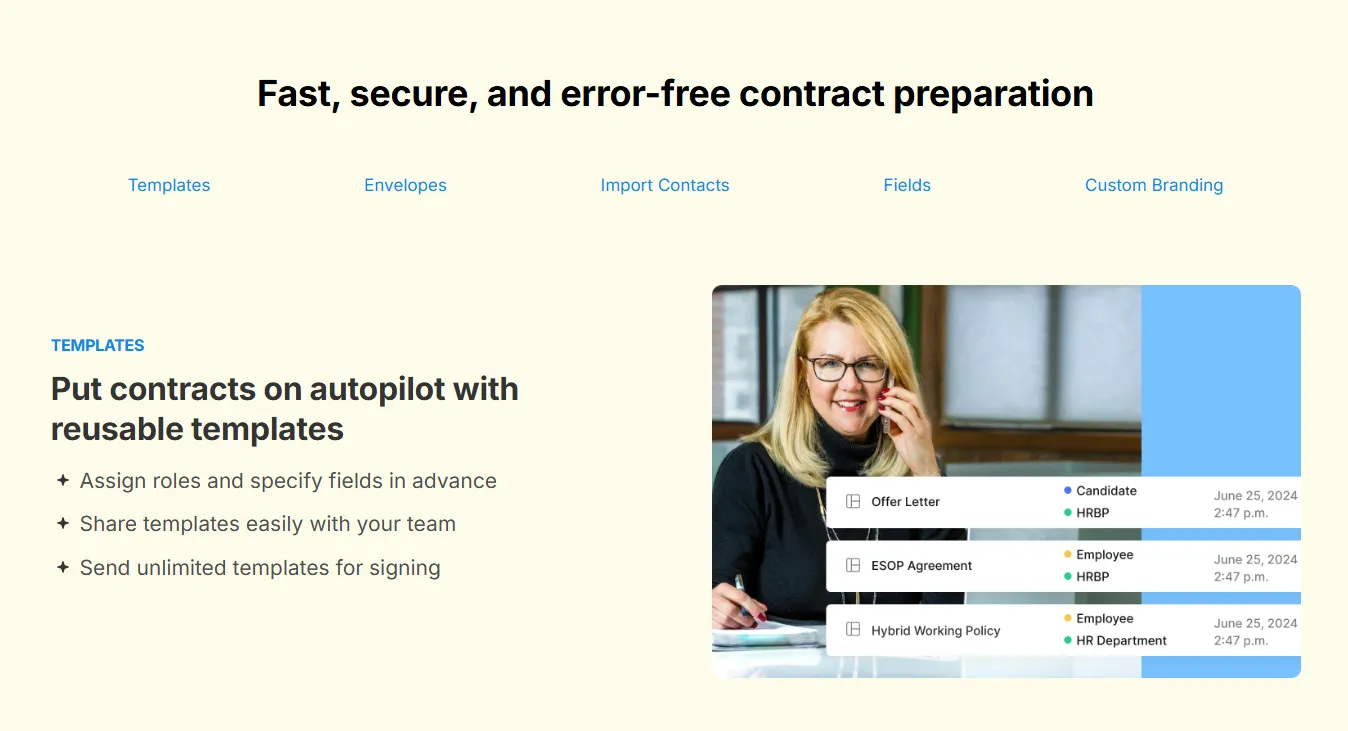
Signeasy’s Prepare feature enables teams to design reusable templates, assign roles automatically, and reduce setup time and errors.
Did you know? Automating contract creation can cut drafting time by up to 80%, according to industry studies.
Stage 2. Collaboration and review
Traditional reviews involve long email chains and mismatched versions. With contract automation software, multiple stakeholders can collaborate in real time within a shared workspace.
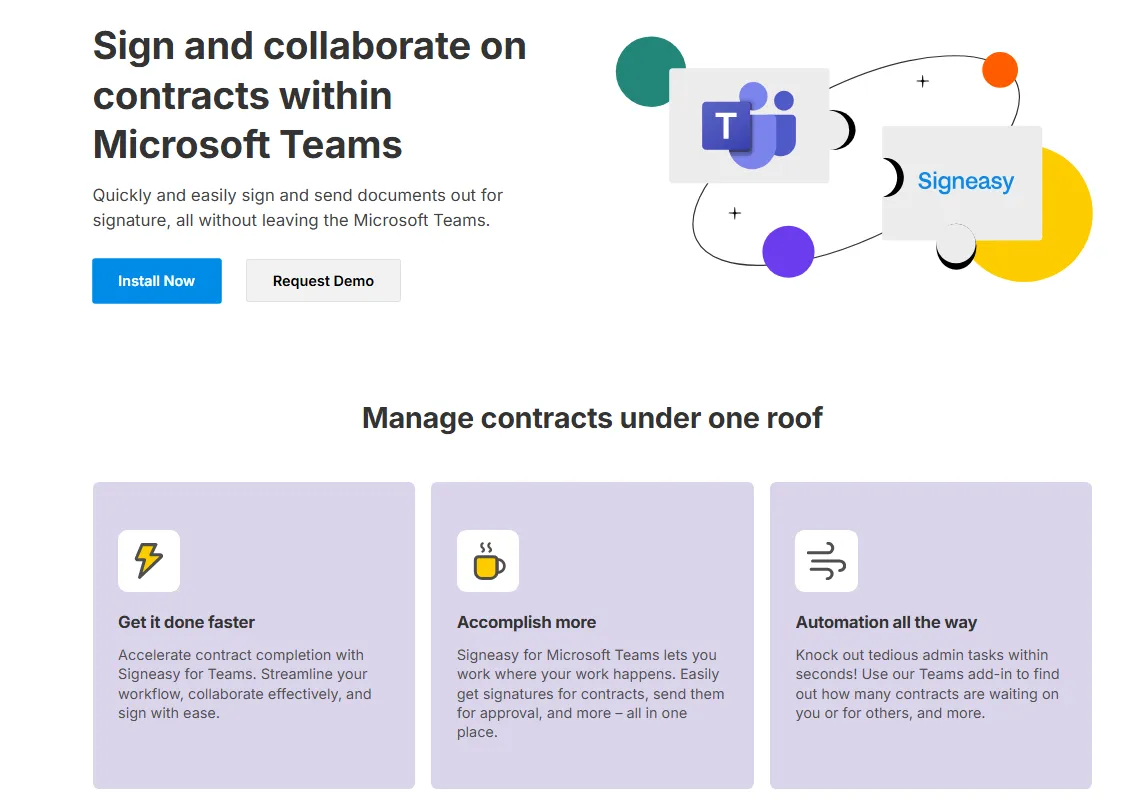
This keeps legal, sales, and finance aligned while maintaining version control. Teams using Signeasy for Microsoft Teams or similar integrations can review, edit, and approve documents without switching platforms.
Stage 3. Approval and workflow routing
Automated workflows ensure contracts reach the right people in the correct order. If you set up sequential signing, Signeasy will route the contracts step-by-step in your chosen succession. It means each recipient receives the document after the previous signer has completed their action.
Managers can set these sequential approvals, automate reminders, and track progress at every step.
This approach minimizes bottlenecks and ensures compliance. Workflow automation reduces delays, accelerates cycle times, and improves accountability across departments.
Stage 4. Signing and execution
Once approved, contracts move directly to signing. Electronic signatures allow recipients to review and approve securely from any device. For example, you can easily sign Word document files without switching platforms.
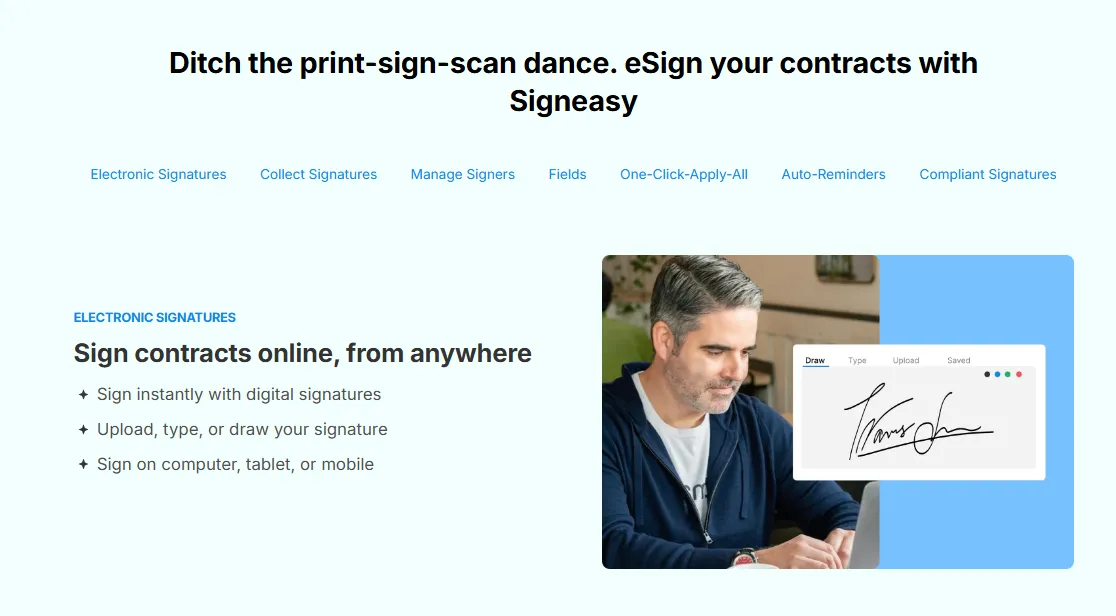
With Signeasy eSignatures, documents are signed instantly and stored securely while remaining fully compliant with ESIGN, eIDAS, and other global regulations. Digital signing eliminates paperwork and provides a clear, traceable audit trail.
Stage 5. Storage and tracking
After execution, contracts are stored automatically in a centralized contract repository for quick access and version control.
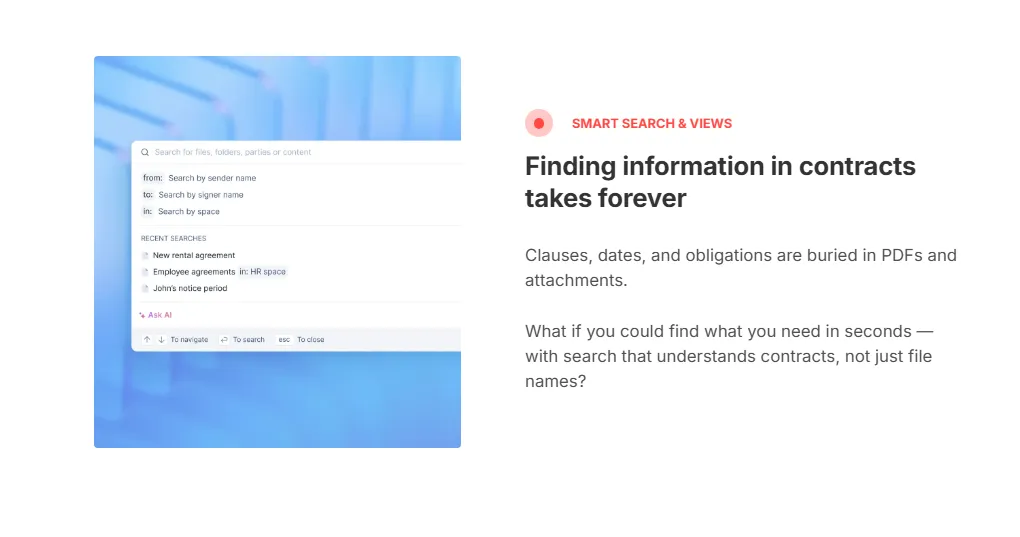
The result is a standardized and transparent process that minimizes risk, improves turnaround time, and allows teams to focus on higher-value work instead of repetitive paperwork.
Teams can search, categorize, and track contracts in real time. This centralization ensures transparency and supports audits, renewals, and compliance reporting.
Stage 6. Renewal and analytics
Automation continues after signing. Built-in reminders notify stakeholders about upcoming expirations, renewals, or compliance checks.
Dashboards display insights such as cycle time, contract value, and approval metrics. These contract analytics help teams identify trends, improve efficiency, and reduce missed opportunities.
The technologies that power contract automation
Modern contract automation software combines several core technologies that make contracting more efficient, more intelligent, and more secure.
Each of these technologies works together to create a unified and transparent contract automation process. By integrating automation, AI, eSignatures, and analytics, businesses eliminate manual bottlenecks and achieve higher accuracy and compliance.
Features and functionalities that make automation effective
Key features of contract automation tools
- Template libraries: Pre-approved, fill-in-the-blank contract templates that standardize language and eliminate drafting from scratch
- Workflow automation: Automatic routing for approvals and notifications, ensuring contracts reach the right stakeholders in the correct sequence
- E-signatures: Integrated signing capabilities compliant with ESIGN and eIDAS to finalize contracts faster from any device
- AI capabilities: Used for clause analysis, risk identification, and smart drafting — flagging non-standard terms and recommending approved alternatives
- Integrations: Connects with CRMs like Salesforce, document platforms like Google Drive and Microsoft 365, and HR and billing software for seamless data flow
The success of any automation initiative depends on the technology behind it. Modern contract automation software includes powerful tools that simplify collaboration, maintain compliance, and improve visibility. Below are the essential contract automation features to look for when assessing a platform.
1. eSignature integration
eSignature capability is the foundation of any contract automation system. It allows users to send, sign, and finalize documents from any device while ensuring full compliance with ESIGN, eIDAS, and other global standards.
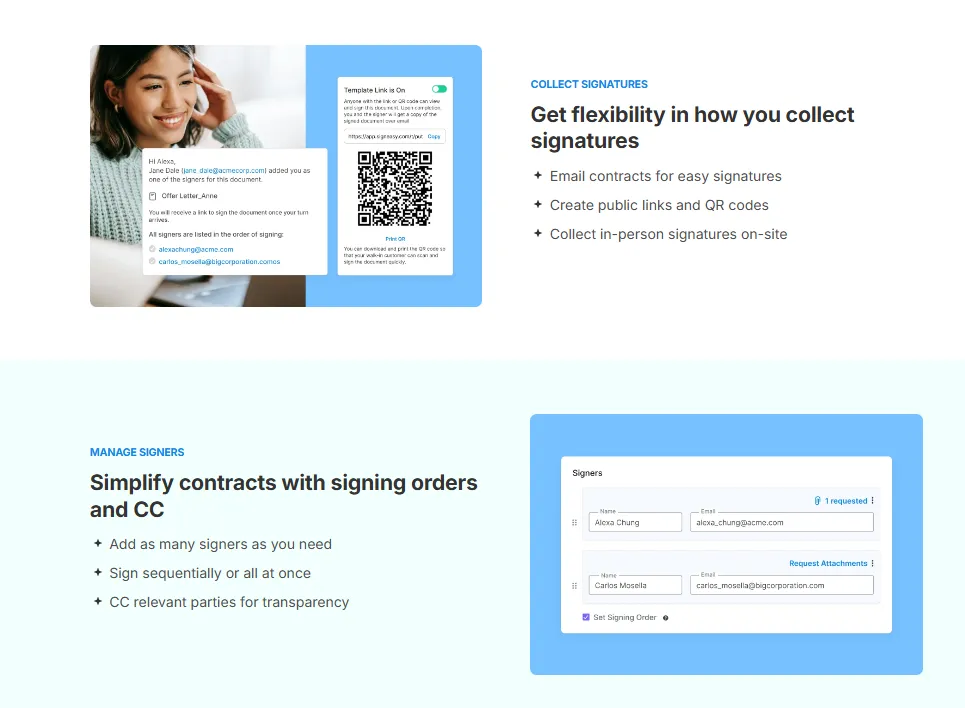
Signeasy’s eSignature solution helps teams accelerate deal completion while maintaining a verifiable audit trail with timestamps, IP tracking, and digital certificates. This feature eliminates paperwork and ensures every signature is secure and traceable.
2. Clause and template libraries
Reusable templates and clause libraries ensure consistency and accuracy. Teams can build contracts from approved language rather than writing from scratch each time.
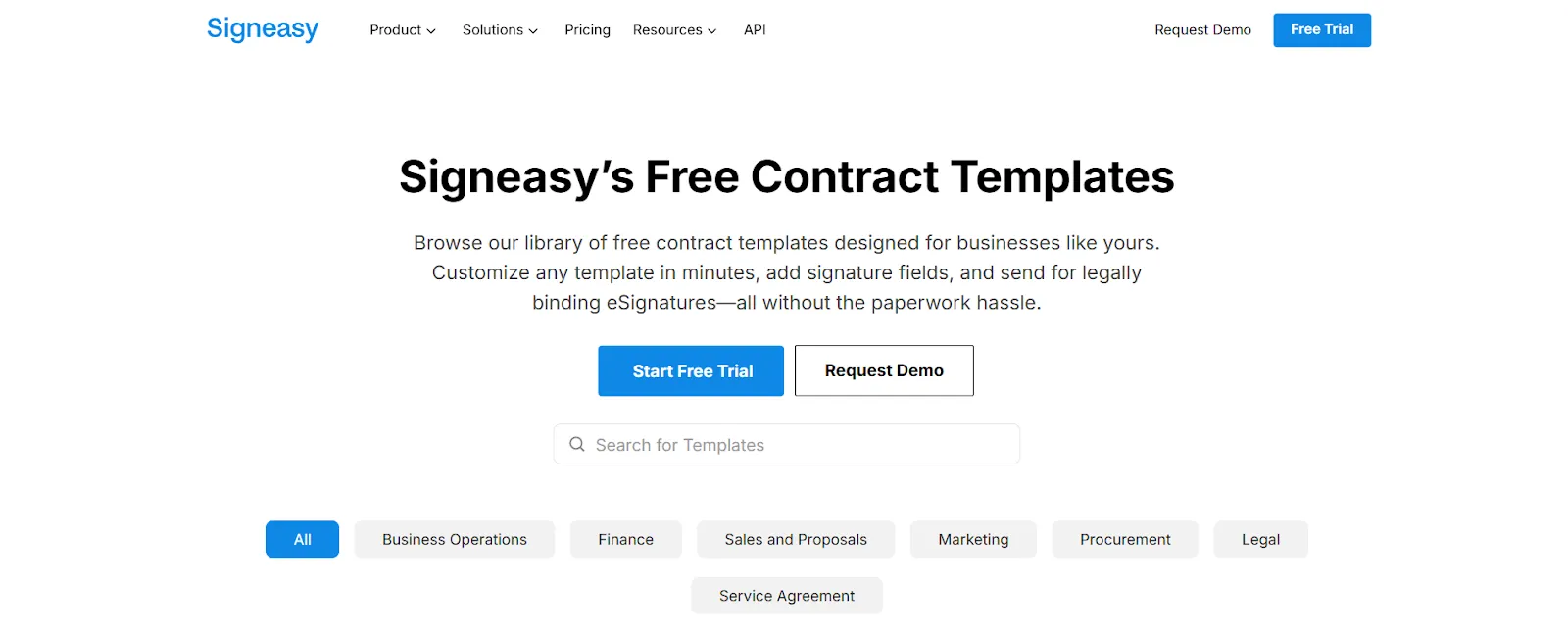
Features like Prepare make this easy by allowing users to:
- Create and update standard templates centrally
- Lock critical legal clauses to prevent edits
- Assign roles and custom fields automatically
This balance of control and flexibility speeds up drafting while protecting compliance.
3. Automated workflows and no-code logic
Automation defines how contracts move through creation, review, and approval. With configurable, no-code workflows, business users can set routing rules without depending on IT.
These workflows automatically notify approvers, track progress, and flag pending actions. The result is fewer delays, stronger accountability, and faster completion across departments.
4. Metadata extraction and analytics dashboards
Contract data is valuable only when it is easy to access. Automation software captures metadata such as value, dates, and owners, then displays it through visual dashboards.
With Signeasy Insights, teams can track:
- Average contract cycle time
- Renewal schedules and key milestones
- Performance by department or contract type
These analytics enable data-driven decisions and proactive planning.
Signeasy's contract reporting tools turn this data into exportable dashboards and weekly summaries for stakeholders.
5. Renewal alerts and obligation tracking
Missed renewals or obligations can lead to penalties or revenue loss. Automated alerts and reminders help teams stay ahead of deadlines.
By surfacing upcoming renewals and deliverables, automation ensures continuity and accountability. Businesses gain peace of mind knowing every contract is monitored beyond signature.
6. Permissions and document security
Data security underpins trust in digital contracting. Role-based permissions restrict access to authorized users, while encryption protects documents at rest and in transit.
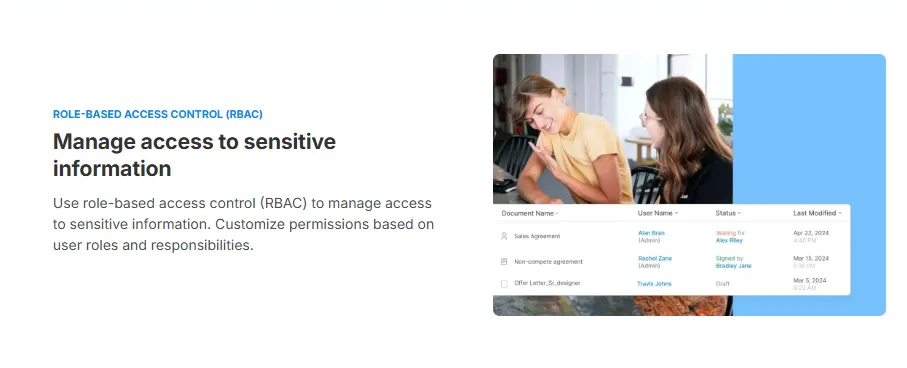
Signeasy’s security framework includes SOC 2 compliance and detailed audit trails that log every action. These controls safeguard sensitive information throughout the contract lifecycle.
7. AI and machine learning for analytics and risk insight
Artificial intelligence enhances contract review and analysis. It identifies non-standard clauses, flags risky terms, and recommends approved alternatives.
Over time, machine-learning models learn from past contracts to provide predictive insights. This capability reduces manual effort for legal teams and improves consistency across large contract volumes.
8. Integrations with business tools
Automation becomes most effective when it fits seamlessly into existing workflows. Integrations connect contract software with CRM, HR, and storage platforms.
Through the Signeasy Integrations Hub, teams can manage contracts directly from Google Drive, Microsoft 365, or Salesforce. Integrated systems reduce duplicate data entry and maintain a single source of truth.
How can AI help in contract review automation?
Artificial Intelligence makes the review process faster, more accurate, and less labor-intensive.When ai contracting software is embedded into your automation stack, it can quickly analyze contracts and extract key terms and clauses—so you no longer have to search through lengthy documents manually. Here’s how AI can enhance contract review:
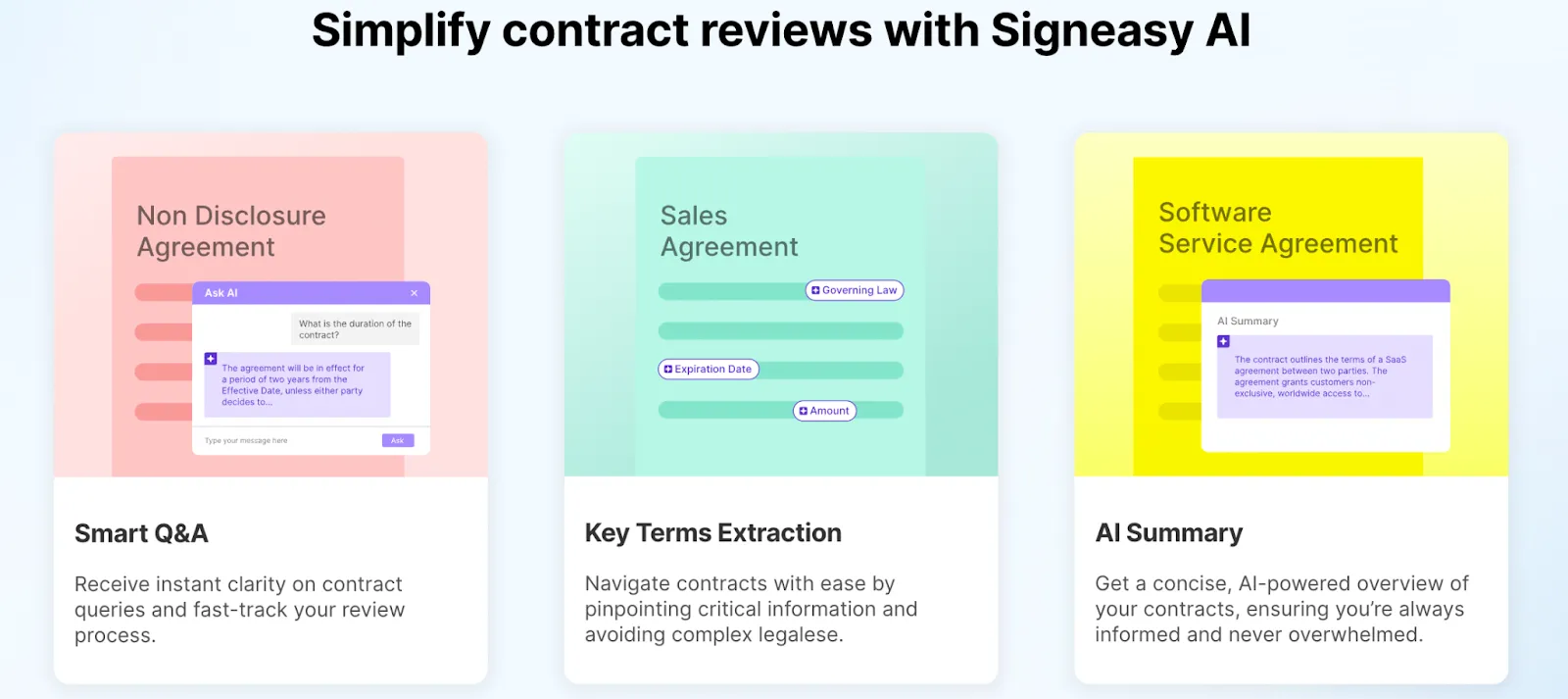
1. Key Terms Extraction
AI can quickly analyze contracts and extract key terms and clauses. This means you no longer have to search through lengthy documents to find important information manually. For example, AI can highlight payment terms, renewal dates, and confidentiality clauses, ensuring that you never miss crucial details.
2. Smart Q&A
With AI, you can ask questions about the contract and get quick, accurate answers. This feature allows you to query the AI about specific terms or conditions within the contract. For instance, you can ask, “What are the termination conditions?” or “When is the payment due?” and receive immediate, precise responses. This makes the review process much more efficient.
3. AI Summary
AI can provide concise summaries of lengthy contracts, giving you a quick overview of the document’s key points. This is particularly useful for busy professionals who need to understand the main aspects of a contract without reading every word. AI-generated summaries can highlight the most important sections, such as obligations, deadlines, and key terms, saving you time and effort.
What contract automation means for different teams
Common contract automation use cases
- Sales: Rapidly generating NDAs, MSAs, and sales agreements from templates to shorten deal cycles and close faster
- Legal: Reviewing, auditing, and monitoring contracts for compliance, non-standard clauses, and regulatory alignment
- Procurement and HR: Managing vendor agreements, purchase orders, and employee contracts with automated routing and obligation tracking
Contract automation can significantly impact various organizational departments by streamlining processes. Here’s how contract automation benefits different teams and the common contracts they handle:
1. Sales Teams
For sales teams, speed and accuracy in contract management are crucial. However, they frequently juggle multiple contracts, spending valuable time creating, customizing, and following up on agreements. Automation allows them to quickly generate contracts from templates and track their progress, enabling them to close deals faster and dedicate more time to building customer relationships.
2. Operations teams
This team is frequently tasked with managing technical contracts like software licenses and service-level agreements (SLAs), which can be time-consuming to track and maintain. Automating the management of these contracts reduces the risk of oversight, ensures compliance, and frees up time for IT and operations to focus on innovation and system improvements.
3. Procurement teams
This team often gets bogged down in managing vendor agreements, and purchase orders, and ensuring compliance with procurement policies. Contract automation enables efficient management and compliance for procurement teams. By automating the contract creation and approval process, procurement teams can speed up the procurement cycle, ensure policy compliance, and focus on negotiating better terms with suppliers.
4. Legal teams
Legal teams often spend a lot of time drafting, reviewing, and approving contracts, as well as ensuring compliance with legal standards. By automating these routine tasks, legal teams can cut down on time-consuming manual work, reduce errors, and focus more on complex legal matters that require their expertise.
5. Human resources
HR teams spend a significant amount of time preparing employment contracts, managing onboarding paperwork, and ensuring that all documentation is complete and compliant. Automation streamlines the creation and management of HR documents, reducing the administrative burden and allowing HR professionals to focus on improving employee experience and retention.
6. Finance department
Finance teams often spend hours managing contract renewals, processing invoices, and ensuring that payment terms are followed. Automating these processes ensures timely renewals, accurate invoicing, and better financial management, allowing finance teams to focus on strategic financial planning and analysis.
7. IT and technology teams
IT teams are tied directly to contract management that keeps the entire business running. Between software licensing agreements, SLAs, and vendor contracts, there's a lot to track. And missing a renewal or breaching a threshold can mean unexpected audit penalties or disruption to critical services. Contract automation gives IT and technology teams real-time visibility into license usage and SLA metrics, plus automated alerts and renewal reminders so nothing slips through the cracks.
8. Real estate professionals
Agents and brokers often spend considerable time preparing and processing lease agreements, purchase contracts, and other critical documents. Automating these processes allows real estate professionals to complete transactions more quickly and accurately, freeing up time to focus on client relationships and closing deals.
How to Get Started with Contract Automation
On average business loses almost 9% of its annual value through poor contract management, with the worst cases hitting 15% or more. The good news? The good news? A few smart tools and with the right workflow, most teams are up and running with contract automation in few days. Here are some steps to get started:
- Identifying where contracts are slowing you down: Before you do anything else, take a look at which contracts are eating up the most time or causing the most friction. For most teams, it's the contracts that are repetitive but still somehow take forever to manage, such as — NDAs, MSAs, SOWs, or vendor agreements. Identifying these gives you a clear starting point early on.
- Map out your contracts: Next, map out how your contracts currently flow. For example, who drafts them, who reviews and approves them, where they live, and most importantly, where things tend to stall. You don't need a perfect process map here, just enough clarity to spot the bottlenecks that automation can fix first.
- Pick a tool that fits your team workflow: This is where a lot of teams overthink it. When choosing a tool, prioritize ease of use and a workflow that feels natural to your team. Look for an end-to-end contract management solution that handles everything from templates and collaboration to approvals and storage in one place.
Signeasy is a great option here. It's designed to be intuitive for fast growing teams, so adoption tends to be much smoother. And if you're worried about migrating existing contracts and templates, Signeasy's white glove migration support takes that off your plate entirely, helping you get set up quickly without the usual headaches of switching tools.
- Scale gradually: Resist the urge to automate everything at once. Start with one contract type or workflow and get it running smoothly first. This helps you build internal champions who can advocate for the process, prove value to stakeholders early, and keep the team from feeling overwhelmed. Once that first workflow is running, expanding to the next one becomes a lot easier and faster.
- Track what's improving: Once your automation is live, keep an eye on metrics. For instance, contract cycle times, how often approvals get delayed, how much admin time has been saved, and how many contracts are being handled without back-and-forth. Sharing these results with your team and leadership does two things: it reinforces adoption and builds the case for expanding automation further. Even small wins early on can make a big difference in getting everyone on board.
Contract automation in different industries
Contract automation benefits various industries with unique requirements and common contract types. Here’s how it impacts different sectors:
1. Tech industry
The tech industry thrives on rapid scaling and efficient collaboration. Here’s how contract automation helps tech companies.
- Rapid scaling with efficient contract management: Automation supports the tech industry’s need for rapid scaling by efficiently managing high volumes of contracts.
- Improved collaboration with partners and vendors: Automated systems streamline contract workflows, facilitating better collaboration with partners and vendors.
2. Healthcare
Contract automation helps healthcare organizations by streamlining processes and compliance.
- Streamlined patient consent forms and insurance agreements: Automation simplifies handling patient consent forms and insurance agreements, ensuring timely processing.
- Compliance with Healthcare regulations: Automated compliance checks help healthcare organizations adhere to strict regulatory requirements.
Teams looking for an end-to-end solution should also explore healthcare contract management software that combines workflow automation with centralized payer contract tracking and HIPAA-compliant BAA management.
3. Banking and financial services
Security and compliance are paramount in banking and financial services. Here’s how contract automation helps.
- Secure and compliant handling of financial agreements: Automation ensures that financial agreements are handled securely and comply with regulatory standards.
- Faster processing of loan agreements and other financial contracts: Automated workflows speed up the processing of loan agreements, improving customer service.
4. Construction
The construction industry benefits from efficient project management and real-time tracking.
- Efficient management of project contracts and subcontracts: Automation simplifies the management of complex project contracts and subcontracts, ensuring timely approvals and renewals.
- Real-time tracking of contract status and milestones: Real-time tracking features provide visibility into contract status, helping manage project timelines effectively.
5. Real estate
Real estate professionals can improve client experiences and streamline property transactions.
- Simplified property agreements and lease contracts: Automation simplifies the creation and management of property agreements and lease contracts, reducing errors and delays.
- Improved client experience with faster turnaround times: Faster contract processing increases client satisfaction by providing quick and efficient service.
Common mistakes and how to avoid them
Even the best technology can fall short if not implemented thoughtfully. Many organizations face similar contract automation mistakes when transitioning from manual to digital workflows.
Understanding these challenges early helps teams build sustainable, scalable automation programs.
1. Over-customization of workflows
It’s tempting to tailor every feature to match existing internal processes. However, excessive customization can make systems overly complex and difficult to maintain. This often leads to slower adoption and higher setup costs.
To avoid this, start with standardized workflows that reflect best practices. Gradually add custom rules only when they deliver measurable business value. Keep your automation flexible enough to evolve as organizational needs change.
2. Lack of stakeholder buy-in
Automation projects succeed only when all departments are aligned. Without stakeholder buy-in, legal, sales, procurement, or IT teams may continue using manual processes, reducing overall efficiency.
Involve key users from the start. Collect feedback during tool selection and pilot phases so each team understands how automation supports their objectives. Early collaboration builds ownership and ensures smoother adoption.
3. Data migration challenges
Migrating legacy contracts and metadata into a new platform is one of the most common pitfalls in contract automation. Incomplete or inconsistent data can cause reporting gaps and compliance risks.
To minimize issues:
- Audit and clean existing contract data before migration.
- Map metadata fields carefully between systems.
- Conduct validation tests to confirm data accuracy.
- Roll out migration in phases to identify and fix issues early.
4. Inadequate training and user enablement
Automation tools are only as effective as the people using them. Insufficient training can lead to low adoption, workarounds, or process errors.
To strengthen user enablement:
- Offer role-based onboarding that reflects daily tasks.
- Create short, easy-to-follow training materials and video demos.
- Conduct regular refresher sessions to reinforce adoption.
- Establish a support channel or help desk for quick issue resolution.
Continuous learning keeps users confident and maximizes the long-term value of automation.
5. Neglecting integration with other systems
Contracts rarely operate in isolation. When automation tools fail to integrate with CRM, HR, or file storage systems, teams end up re-entering data manually. This increases the risk of inconsistency and delays.
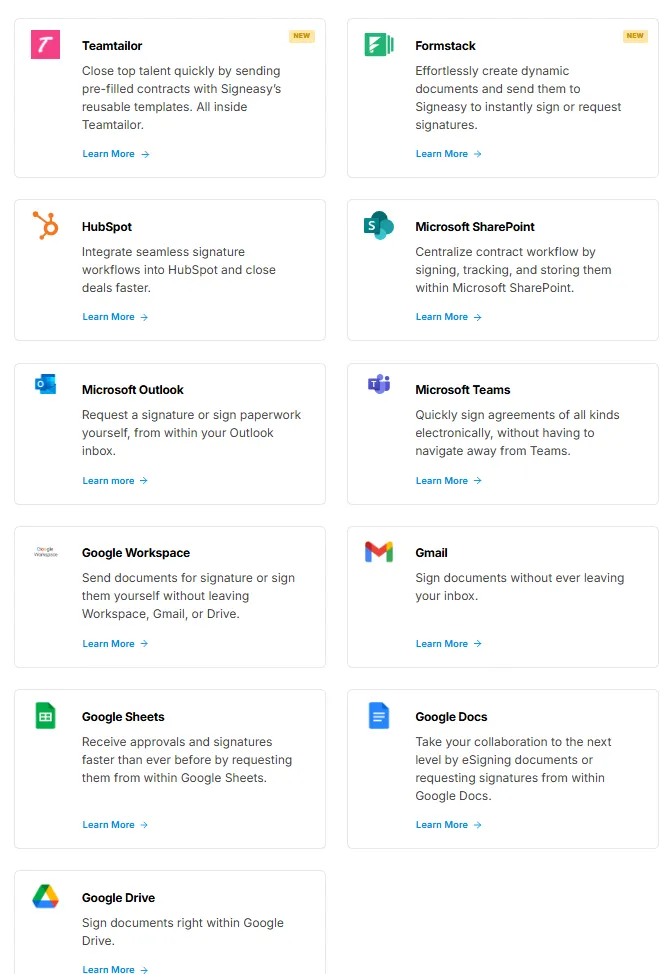
Choose a platform that supports open APIs and native integrations. Signeasy’s Integrations Hub, for instance, connects with Salesforce, Microsoft 365, and Google Drive to maintain seamless data flow across business systems.
6. Ignoring change management
Technology alone won’t deliver transformation. Skipping structured change management leads to confusion about new workflows and roles.
Communicate clearly about the purpose and benefits of automation. Assign departmental champions to model best practices and gather feedback. Recognize small wins early to keep motivation and adoption high across teams.
How Signeasy enables contract automation
Signeasy’s contract automation platform helps organizations simplify every stage of the contract lifecycle, from drafting to signing to post-execution tracking.
By bringing templates, eSignatures, workflows, reminders, and analytics into one secure, cloud-based workspace, teams operate with greater speed, accuracy, and transparency.
1. Templates and clause management
Standardization is the foundation of automation. With Signeasy Prepare, teams can build reusable, legally approved templates and clause libraries that eliminate manual drafting errors.
With this feature, you can:
- Design and reuse contract templates across departments.
- Assign signer roles, fillable fields, and sequence logic in advance.
- Lock key clauses to ensure only approved language is used.
This consistency accelerates turnaround time while maintaining full compliance with internal and external policies.
2. eSignatures and workflow automation
Signeasy’s Sign and Collaborate modules combine secure eSignatures with automated approval paths. Teams can send, review, and sign documents in a shared workspace, avoiding email threads and version confusion.
3. Alerts, reminders, and renewals
Contract visibility shouldn’t end at signature. Signeasy’s dashboard keeps obligations on track through automated alerts and renewal reminders.
Managers receive real-time notifications before key milestones, helping prevent missed renewals or compliance lapses. These proactive alerts enhance accountability across sales, procurement, and legal teams.
4. Analytics and performance dashboards
Signeasy’s Insights dashboard transforms raw contract activity into actionable intelligence. Teams can monitor:
- Average turnaround and signing rates
- Delays or bottlenecks by department
- Renewal success and contract volumes over time
These analytics empower leaders to spot inefficiencies, optimize templates, and refine approval workflows, driving continuous improvement across the organization.
5. Integrations and scalability
Automation only works when it fits into existing workflows. Through the Integrations Hub, Signeasy connects seamlessly with everyday tools such as:
- Google Drive and Microsoft 365 for document management.
- Salesforce for CRM-driven contract creation and tracking.
- Slack for real-time collaboration and alerts.
This ecosystem keeps data synchronized, reduces administrative effort, and scales effortlessly as business needs evolve.
Manual contract management vs. Contract automation: A quick overview
Best contract automation software
Contract automation software can greatly enhance the efficiency and accuracy of managing contracts. Choosing the right contract automation software depends on your specific needs and business processes.
Here are some of the best contract automation tools available.
1. Signeasy
Signeasy is a contract automation software that stands out for its ease of use, robust features, and seamless integration capabilities.
It offers a centralized repository for all your contracts, ensuring easy access and enhanced visibility. Signeasy's automated workflows streamline the approval process, reducing delays and improving efficiency.
With features like real-time tracking, automated reminders, and secure eSignatures, Signeasy ensures that your contracts are managed efficiently and comply with all legal standards.
It integrates well with popular business tools like CRM and ERP systems, making it a versatile solution for businesses of all sizes.
Key features:
- User-friendly interface
- Automated workflows for approvals
- Real-time tracking and automated reminders
- Secure, legally binding eSignatures
- Centralized storage for easy access and management
- Seamless integration with CRM, ERP, and other business systems
Request Demo to see how Signeasy can automate contract workflow for your business.
2. Docusign
Docusign is a widely recognized contract automation tool known for its robust eSignature capabilities. It allows users to prepare, sign, and manage contracts electronically, ensuring fast and secure transactions.
Docusign offers various integrations with other business applications and provides comprehensive audit trails for compliance, supporting its use as an docusign for legal. Docusign reviews often highlight its ease of use and robust features for business workflows.
Key features:
- Industry-leading eSignature functionality
- Customizable templates
- Integration with a wide range of business tools
- Detailed audit trails and compliance features
Compare Signeasy vs Docusign
3. Adobe Sign
Adobe Sign, part of the Adobe Document Cloud, provides a comprehensive solution for contract automation. It offers powerful eSignature capabilities, automated workflows, and integration with Adobe Acrobat and other Adobe products.
Adobe Sign is known for its reliability and extensive feature set, making it suitable for businesses using other Adobe products.
Key features:
- Integration with Adobe Acrobat and other Adobe products
- Automated workflows and eSignatures
- Mobile-friendly for signing on the go
- Advanced security and compliance features
For a closer look at customer experiences, see our Adobe Sign reviews for insights into its features, usability, and overall performance. You can also compare Signeasy vs Adobe Sign to see how the platforms differ in features, workflows, and contract management capabilities.
4. PandaDoc
PandaDoc is a versatile contract automation software that simplifies the creation, approval, and signing of contracts.
It offers a range of customizable templates, document analytics, and CRM integrations. PandaDoc's user-friendly interface and robust features make it a popular choice for sales teams and small businesses.
Key features:
- Customizable templates and document creation tools
- Integration with CRM systems
- Real-time document analytics
- eSignature functionality
Still comparing your options? Check out our Signeasy vs PandaDoc guide for a closer look at their features, pricing, and workflows.
5. ContractWorks
ContractWorks is designed specifically for contract management, offering features like automated reminders, secure storage, and easy contract creation.
It focuses on simplicity and efficiency, making it ideal for businesses looking to streamline their contract management processes without the complexity of larger systems.
Key features:
- Easy-to-use interface
- Automated reminders and notifications
- Secure, centralized storage
- Simple contract creation and management tools
Simplify Contract Automation with Signeasy
If you work with contracts regularly, you know how time-consuming and error-prone the process can be. Manual contract management often leads to delays, inconsistencies, and compliance headaches. Contract automation offers a solution by streamlining workflows, reducing errors, and ensuring every contract meets legal standards.
Automating your contract management brings several key benefits: it enhances efficiency and speed by cutting down the time spent on drafting, reviewing, and approving contracts. It improves accuracy and compliance by using standardized templates and automated checks, minimizing errors and ensuring all contracts are legally sound. Additionally, it offers better tracking and control through centralized storage and real-time updates, giving you full visibility over all contracts.
Signeasy is designed with these needs in mind. It's a user-friendly platform that integrates seamlessly with your existing systems, making it easier to manage your contracts efficiently and accurately. With Signeasy, you get centralized storage, real-time updates, automated reminders, and robust compliance features, tailored to streamline your contract management.




